Contract Reminders
A contract can trigger various types of reminders, which can be sent to you either via email or displayed in the title bar.
To receive contract reminders via email, you need to have the option to receive email reminders enabled in your profile.
There are the following types of reminders for contracts.
- Contract expiration: This reminder is sent 30 days before the end date of a contract.
- Notice period expiration: This reminder is sent 30 days before the expiration of the notice period.
- Custom reminders: These are manually recorded and sent at a specified time.
- New discussion posts: Displayed in the toolbar.
- Changes to contracts: Displayed in the toolbar.
Setting Up Reminders
Contract reminders are set up in the detailed view of a contract. The default reminders for contract expiration and notice period expiration are activated in the Terms and finances tab.
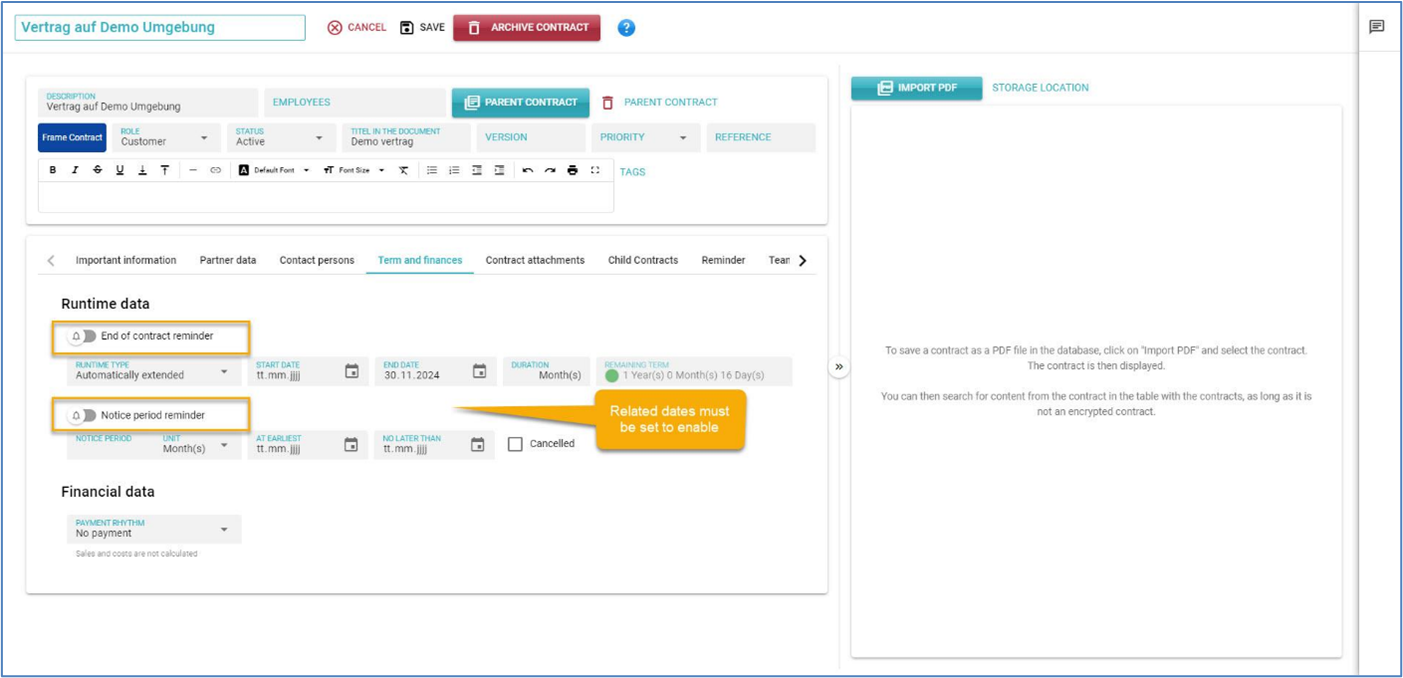
To activate the reminders, the contract end date or the latest date for termination must be entered.
In the Reminder tab, the activated reminders are displayed, and additional custom reminders can be added in addition to the default reminders.
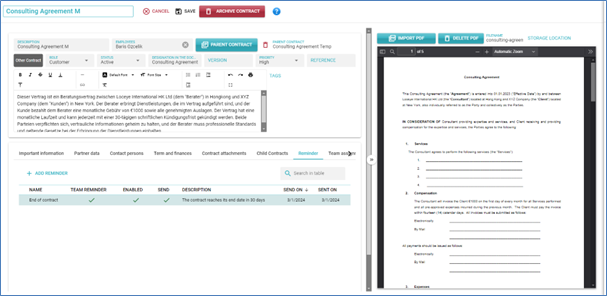
The table displays all reminders. Each reminder has the following information:
- Label: This is taken over in the title of the sent email.
- Team reminder: Indicates whether the reminder is sent to all team members or only to you personally. This can only be changed for individual reminders.
- Enabled: Indicates whether the reminder is enabled, i.e., whether this reminder will be sent when the date is reached. Can only be changed for individual reminders.
- Sent: Indicates whether the reminder has already been sent.
- Description: The text is included in the body of the email.
- Send on: The date on which the reminder will be sent by email.
- Sent on: The date on which the reminder was sent. Only filled in if the reminder has already been sent.
To create an individual reminder, click on “ADD REMINDER” button. A dialog box will appear where you can enter the details for the new reminder.
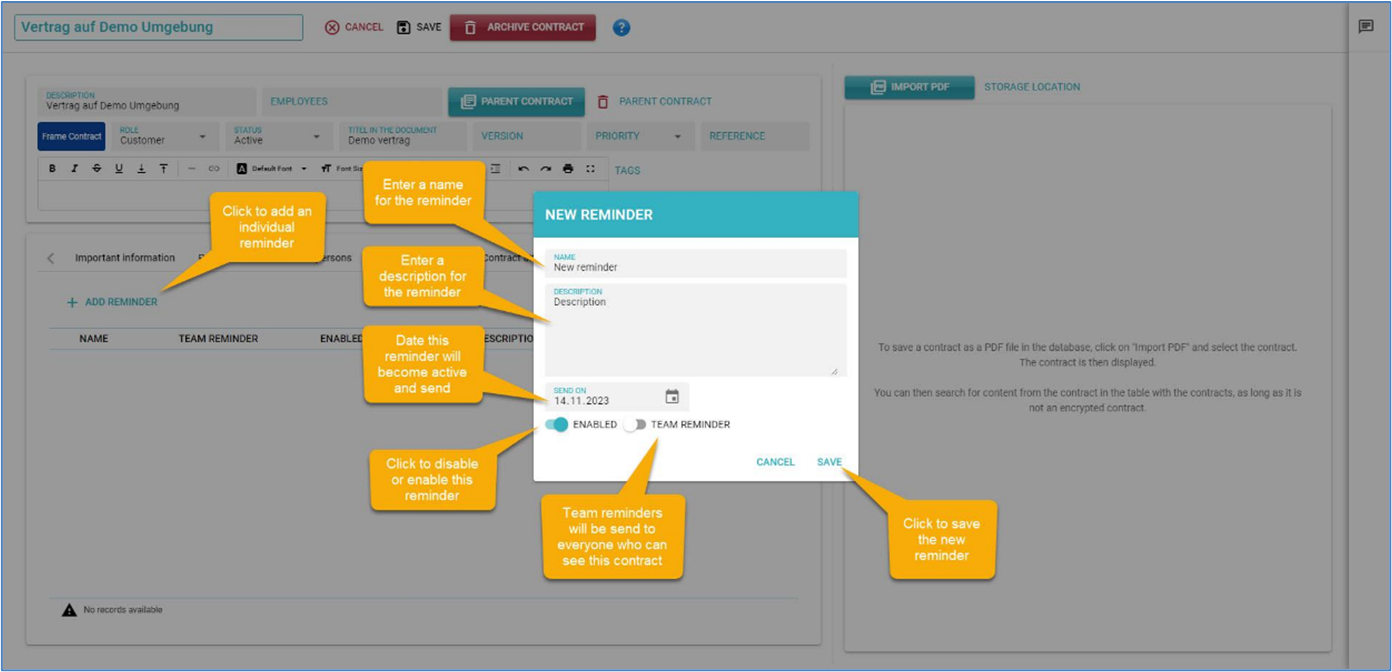
Individual reminders are not necessarily sent to all team members. To send the reminder only to yourself, turn off the Team Reminder switch.
To edit an existing reminder, click on the entry in Edit mode. The default reminders can only be deleted, while individual reminders can be edited or deleted.
Other Reminders and the Reminder Button
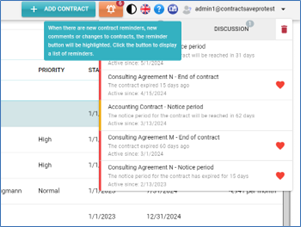
Reminders for new discussion posts and changes to contracts are automatically displayed in the title bar of contractSILO. If there are reminders, the Reminders button is highlighted, and the number of reminders is displayed. Click the button to view the list of activated reminders.
In the list, the different reminders are grouped according to their type. Reminders for discussion posts and changes to contracts can be deleted, while contract reminders are only removed when the reminder itself is either deleted or updated.
In the My Profile view, you can determine whether you want to receive reminders via email or not.